Teaching an agent to think in 3D space.
A dated log of how Sequence 3D learned to select and transform geometry — the prototypes I killed, the breakthroughs that stuck, and the order they actually happened in.
New here? There’s a short glossary at the bottom for terms like tool, agent loop, and raycasting.
Before tools, there was scripting.
December 2025
The first proof that a language model could drive Blender at all. Not a case study — more like the baseline everything after was measured against.
The earliest prototype didn’t have a tool layer. It generated one-shot Python scripts, piped them into Blender, and hoped. It worked often enough to keep going, which is all a first pass has to do.
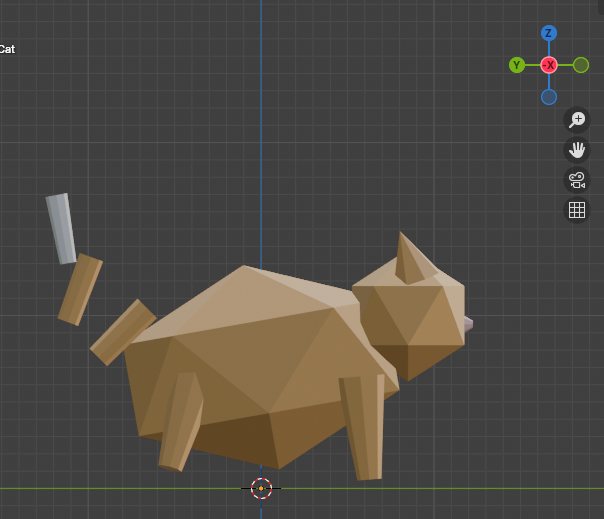
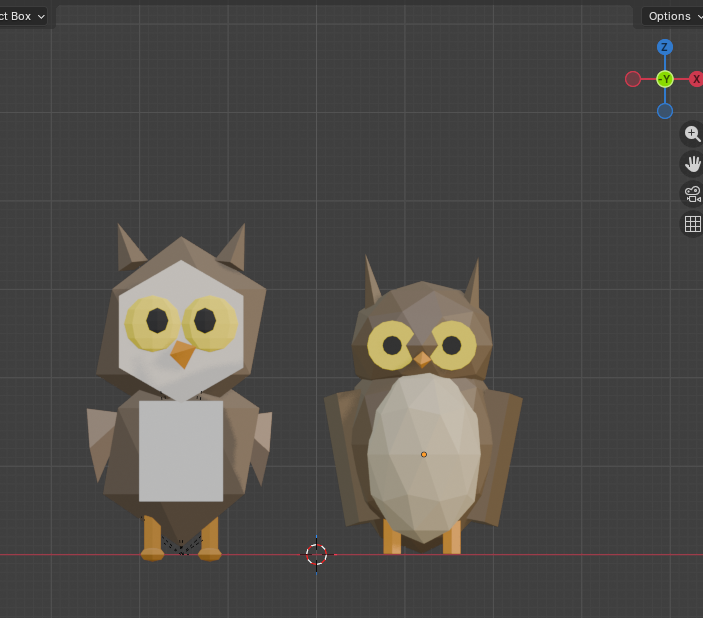
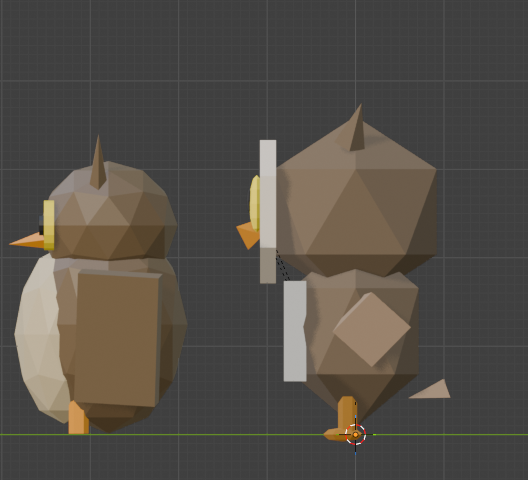
Scripting maxed out fast. One-shot generation has no way to course-correct mid-build, and the API surface it relied on started failing under me as soon as I moved to a newer Blender. The next section is about why I walked away from it.
Why I walked away from Python scripting.
December 2025 → January 2026
Scripting felt like a cheat code at first — ask the model, get a script, hit run, get a render. The catch shows up the moment you upgrade Blender. The fix — tools instead of scripts — sounds obvious in hindsight; the trade-offs are not.
Why scripting was tempting
Every frontier model has been trained on years of Blender Python (bpy) examples scraped off the open web. So when you ask one for “a low-poly tree blowing in the wind,” it produces something plausible on the first try. No tool layer to build, no spatial reasoning to teach — just generated code, piped into Blender, and you get a render. This is the whole pitch of projects like Blender-MCP. It works. It works enough to be misleading.
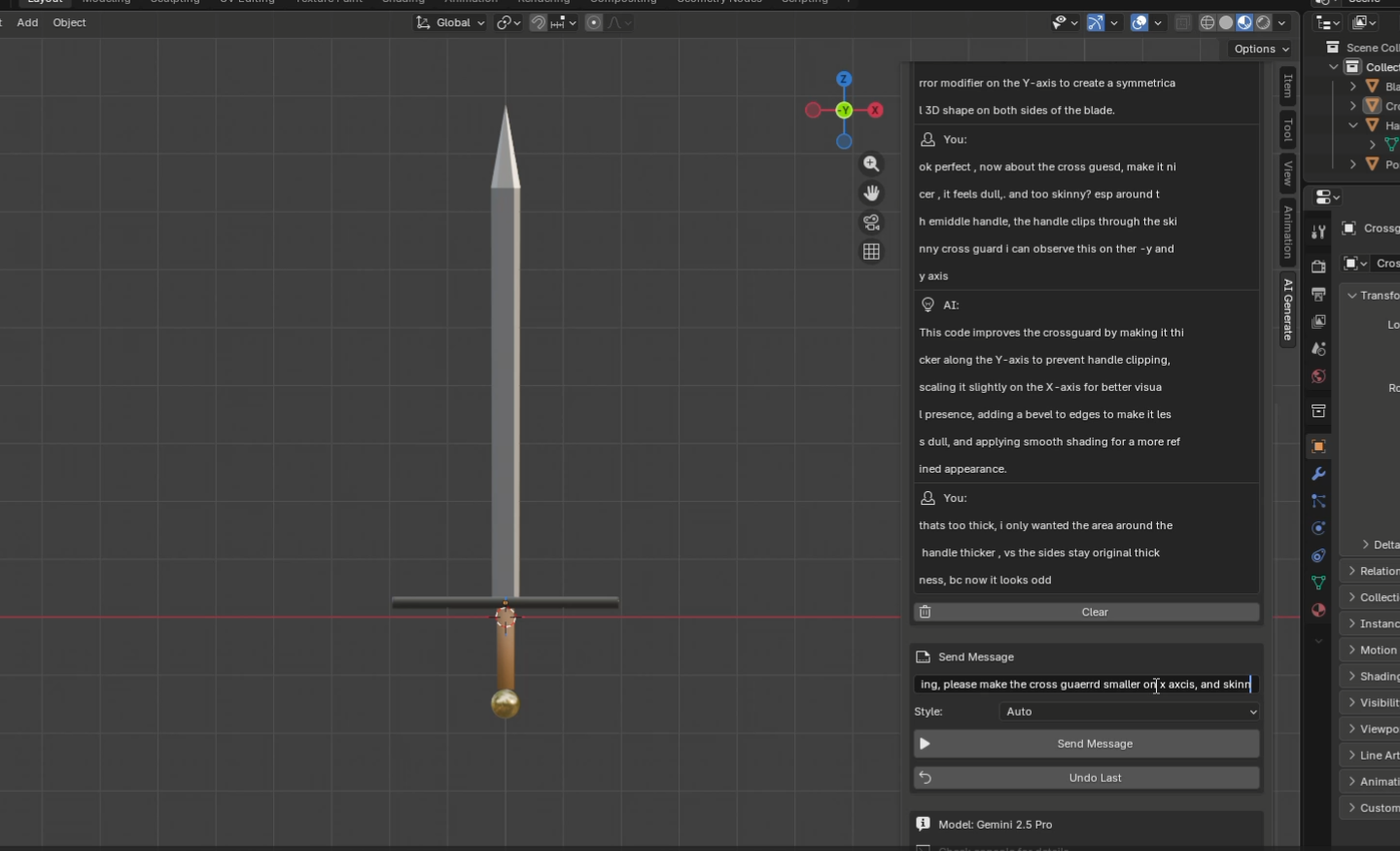
bpy code. When scripting works, this is what it looks like. The problem is what happens the other 60% of the time.
The wall — bpy in Blender 5.0
I was on Blender 5.0 because it’s the newest, has the features I want, and is what the project will ship against. The model wasn’t. Frontier training data lags releases by a year or more, so every script was written against an API that had already moved underneath it. The error log filled up with the same shapes of failure, over and over.
.error-logs/execution-errors.json · recurringAttributeError: 'Action' object has no attribute 'fcurves'. Fired on every owl-blink animation attempt — the model wrote 4.x-era code; in Blender 5.0, f-curves moved under action.layers[].strips[].channelbag.fcurves. Other recurring failures: materials silently not applying, animations getting stuck because edit-mode wasn’t exited, geometry-node sockets renamed between versions, operator context errors when scripts ran outside the expected mode.
The cost trap
The two obvious fixes both lose:
- Use the very latest model. Slightly better API knowledge, but you’re paying flagship-tier rates for something as cheap as a sword. And the model still lags Blender by months.
- Stuff the prompt with current API docs. Works once or twice, but you’re paying for tens of thousands of input tokens on every single call — for a problem the docs don’t actually solve. The model still hallucinates around them.
Either way, you’re paying more, every call, forever, just to keep up with whichever Blender version you’re on. That math doesn’t work for a product.
The pivot — tools the developer maintains
The shift was: take an older, cheaper Gemini and stop asking it to write bpy. Have it call tools — small, well-specified functions I maintain — that wrap whatever the current Blender API is.
Frontier model writes a fresh bpy script for every task. Script targets whatever API version it was trained on. Breaks on Blender upgrades, leaks edit-mode, mis-applies materials, costs 6–10 minutes and a flagship-tier bill per call.
Cheaper model calls tools. Tools wrap the API directly. When Blender 5.1 ships and something breaks, I fix the tool once and every user is back online — no model retrain, no doc-stuffing in the prompt, no per-call tax.
The win that made this real for me: I could write tools the model couldn’t have generated on its own — scatter_on_surface, array_along_curve, shrinkwrap_modifier — with the edge cases handled in code, once, by a developer. The model just decides when to call them.
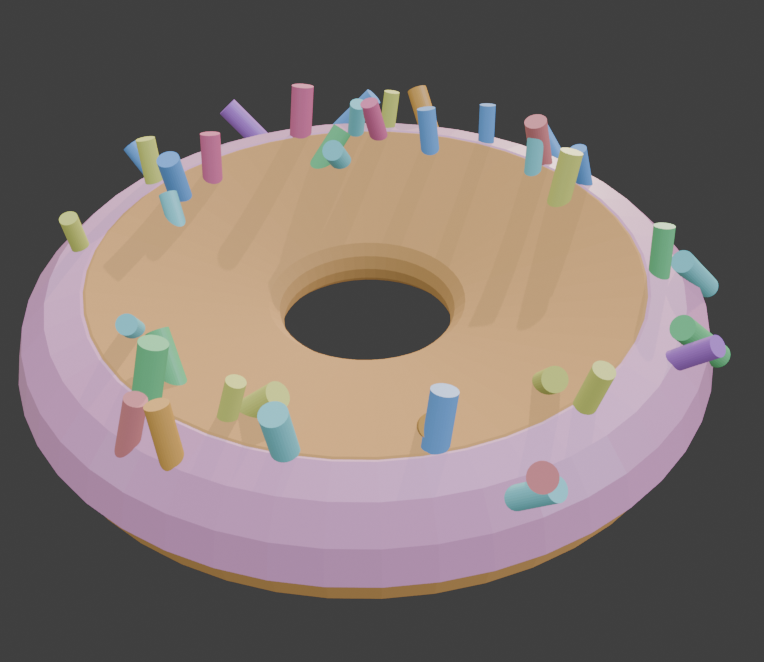
scatter_on_surface tool I’d written — not a script it generated. Distribution, alignment to surface normals, collision avoidance: all in the tool, all maintained by me, all one-shot from the agent’s perspective.
The trade-off, honestly
Tools are cheaper to run and far more reliable, but they’re harder to build. With scripting, the model handles the spatial reasoning implicitly — it just emits coordinates that look right. With tools, you have to teach the model spatial reasoning, because it’s now choosing tool arguments instead of writing free-form geometry code. That’s the entire reason the next two sections exist:
- Selection — how does the model point at which geometry?
- Transformation — how does it reason about orientation and scale?
Both problems were free in the scripting world. Both had to be re-earned in the tools world. The payoff is everything downstream — cost, reliability, maintainability — works.
What I’d do differently — the hybrid future
Scripting isn’t dead. The next iteration is a hybrid: script-first for the tasks where models are genuinely strong (alignment math, scale ratios, parametric placement — coding, basically), with tools as a fallback when the script errors out instead of just retrying. Models reason better about code than about 3D space, so use them where they’re sharp; use deterministic tools where they’re not.
Don’t pay the model to keep up with Blender. Pay yourself to maintain tools.
The model gets cheaper. The product gets more reliable. The trade-off is teaching it to think in space — which is the rest of this case study.
Selection — how do you let an agent point at geometry?
January 2026
Detail work needs targeted edits: the inner lip of a pot, a ring of vertices on a curve, a specific edge on a panel. The first attempt was a query engine that grew faster than I could maintain it. The fix turned out to depend on something else entirely — whether the agent could see the object in the first place.
I’ve always been inspired by Gundam model kits. I’ve built a few by hand, and I wanted the agent to eventually get there — which meant it needed a way to grab specific geometry, not just whole objects. A connector pin. The inner lip of a pot. The eye slits on a helmet visor. None of those work without selection.
Step 0 — the upstream dependency: see everything
Before I could touch the selection logic at all, I had to fix something further upstream. The early viewport setup gave the agent four orthographic angles — front, back, left, right. That’s enough for a cube. It’s nowhere near enough for a Gundam, where every interesting feature is hidden from at least one of those four views.
I added top, bottom, isometric front, and isometric back — eight angles total, orthographic plus iso, captured into two stitched images. Now nothing is hidden at decision time. Without this, neither the query engine nor the click approach below would have ever been accurate enough to matter.
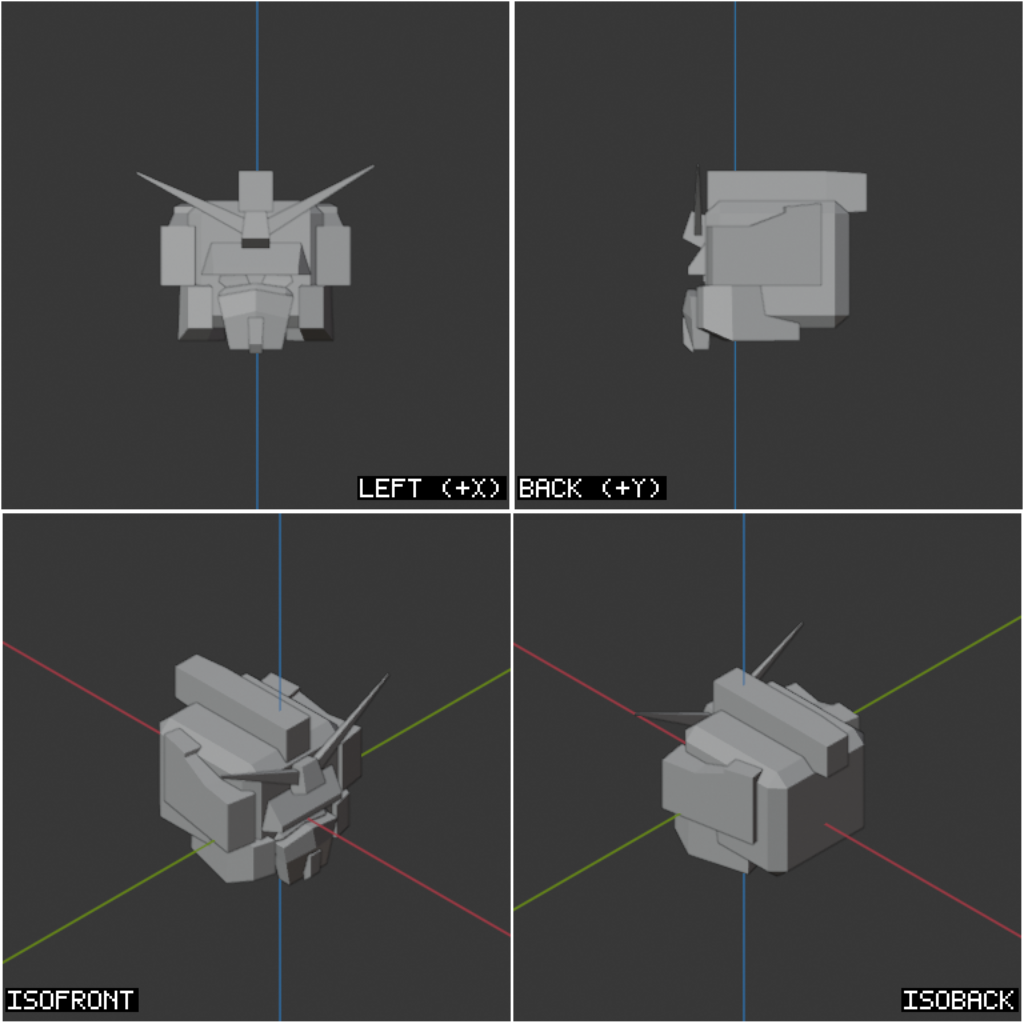
The cameras are pre-defined and parented to a single rig empty, so framing an object means moving one transform — not re-positioning eight cameras independently. Distance and ortho-scale are derived from the target’s bounding box, which gives raycasting a known, normalized projection to work against.
The first approach — a query engine
With the angles fixed, my first attempt at selection was to let the agent describe what it wanted. Named presets — TOP, BOTTOM, FACING_UP, BOUNDARY — plus a small DSL on top: pick a property like centroid.z or normal.x, an operator (GT, LT), a threshold normalized to the object’s bounds. The engine resolved the query against a mesh snapshot and returned matching geometry.
// "Top faces of a donut, facing up"
select_by_query({
  object_name: "donut",
  element: "FACE",
  logic: "AND",
  conditions: [
    { property: "centroid.z", op: "GT", value: 0.7 },
    { property: "normal.z",   op: "GT", value: 0.5 },
  ],
});
For simple objects this was beautiful. The agent never touched a vertex index — it described intent, the engine deterministically resolved it. But the moment the geometry got complex, the cracks showed up everywhere.
Where it broke down
The donut problem. “Select the top half” is fine. “Select the inner ring” needs another preset. “Select the rim, not the floor” needs a third. Every new selection pattern needed a new preset or a more elaborate condition combination — TOP_RIM, BOTTOM_CENTER, OUTER_SIDES, INNER_RING — and the disambiguation logic got worse with each addition. The preset library kept growing.
The Gundam problem. A query engine works when the geometry has clean, separable regions. A Gundam doesn’t. To pick out just the V-fin, or just the left eye slit, or just the inner edge of the visor, you’d need a preset for every named part — V_FIN, FACEPLATE, LEFT_EYE, RIGHT_EYE, VISOR_INNER — and even then the agent would need to know each part’s exact name. That’s a hand-curated dictionary forever, and it doesn’t generalize beyond Gundams.
The replacement — visual click-select
The shift was conceptual. Stop having the agent describe geometry in words. Give it the rendered image — the eight angles it already has — and let it point.
Query engine. The agent describes geometry in words (top_face, inner_ring, visor) and a DSL resolves it to indices. Library of presets grows forever; ambiguous on complex meshes.
Click-select via raycast. The agent emits per-tile UV coordinates against a labeled viewport. The runtime fires a ray from that camera through that pixel and selects the nearest face / edge / vert. Same primitive for every selection — the agent stops describing geometry and starts pointing at it.
The agent advantages compounded immediately. No graph in the prompt — we don’t feed it “here are the 240 named parts of this Gundam.” Token cost drops — an image is fixed-size, a part graph isn’t. The right modality — modern models reason far better about where something is in an image than about a JSON tree of mesh parts.
The hard part underneath the elegance
Pointing sounds simple. Making it land on the exact pixel the agent meant is not. Three pieces had to slot together:
- Fixed framing. Each viewport tile has a known ortho-scale derived from the target’s bounding box. The same world point always lands on the same pixel — no projection drift between captures.
- Per-tile UV coordinates. The agent emits
[u, v]in0–1within a single tile rather than absolute pixel coordinates of the stitched image. Smaller numerical range, fewer sources of error. - Calibrated raycast. Per-view axis flips and a Y-flip (image-Y vs OpenGL-Y) are applied before firing the ray. When the ray misses, screen-space fuzzy matching falls back to the nearest vert / edge / face within ~50px — the same algorithm Blender’s native selection uses.
// Agent emits a coordinate inside a named viewport tile.
// [0.5, 0.5] = center, [0,0] = top-left, [1,1] = bottom-right.
click_select({
  camera: "iso_front",
  click:  [0.62, 0.34],   // per-tile UV
  element: "VERT",
  object_name: "gundam_head",
});
I borrowed heavily from the browser-automation world, which has been solving “click on a thing in a rendered image” for years. Game-engine raycasting handled the hit; the calibration plumbing — resolving UV to a stable world ray — was the original work.
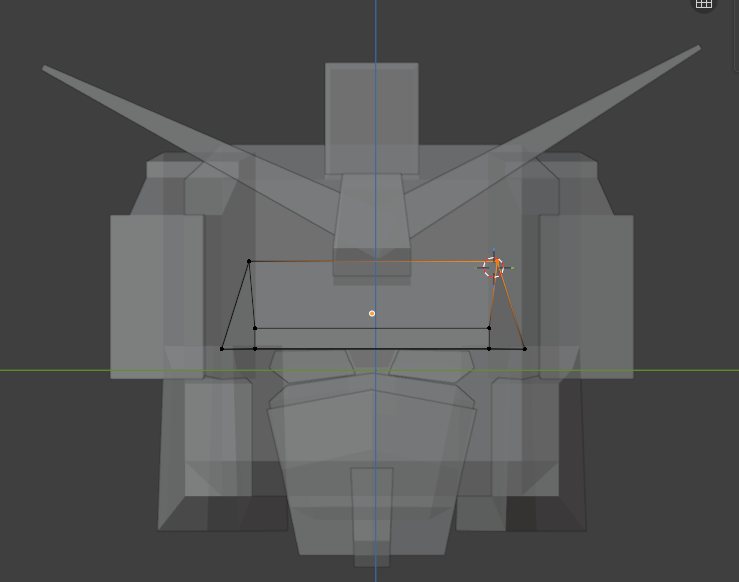
Click-select works. The harder question is when to use it. Vertex-level editing is expensive — for anything simple, the agent should still reach for primitives and resize, not start poking at individual verts. Pro modelers don’t sculpt a chair from one cube; they assemble it. Teaching the agent the same restraint is the next thing on the list.
Fix sight first, then trust the eyes.
If the agent can see it, it can click it.
Transformation — orientation and scale.
January 9, 2026
Once the agent could point at things, the next question was whether it could move them correctly. Two bugs were baked into the transform tool itself — one about which axis, one about which units.
The first transform tool — a Swiss Army knife
I’d modeled the first transform API on Blender’s own N-panel “Item” section, where Location, Rotation, and Dimensions all live under one heading. The first iteration mirrored that — one transform tool with an operation enum.
// Modeled on Blender's Item panel: Location / Rotation / Dimensions.
transform({ operation: 'TRANSLATE', name: 'Cube', value: [1, 0, 0] })
transform({ operation: 'ROTATE',    name: 'Cube', value: [0, 0, 90] })
transform({ operation: 'SCALE',     name: 'Cube', value: [2, 2, 2] })
This became the test bed for the harder question: how do you get a language model to reason about where things go in three dimensions?
Bug #1 — orientation (the USB test)
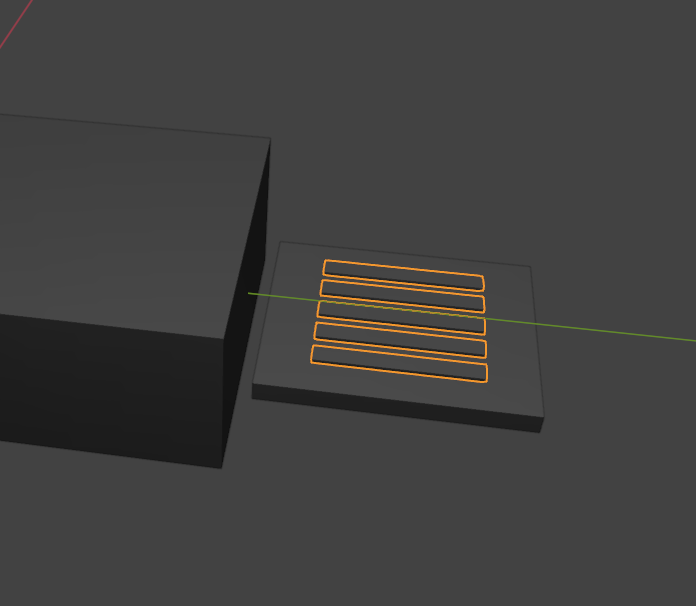
I asked the agent to model a USB connector. It understood the components — body, shell, four pins — and it correctly built the body along the X axis. But the pins came out vertical along the Y axis, lined up in a row instead of arrayed across the connector face along X.
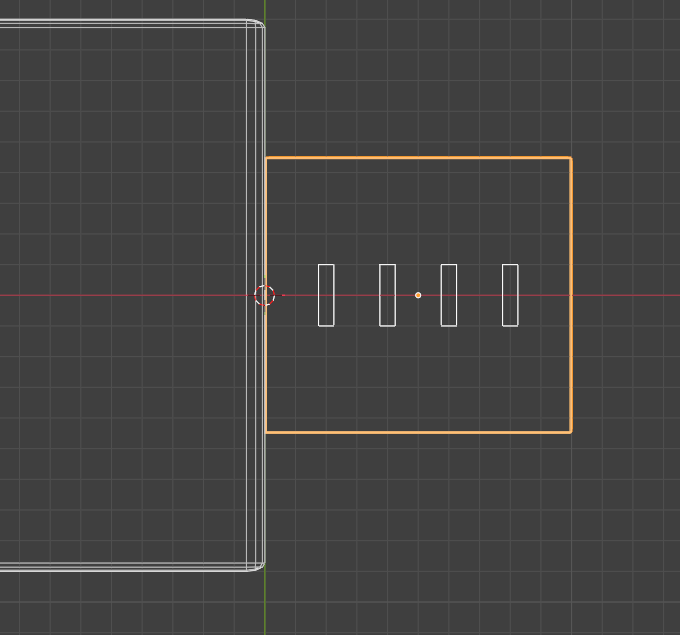
I tried three ways out before settling on what actually worked.
Tell the model which camera it’s looking through. With camera awareness, it should be able to infer correct orientation from the viewpoint alone.
Killed. Knowing you’re looking from the front doesn’t tell you that pins should run along the same axis as the body. Camera awareness is not spatial reasoning.
Bake rotation into the primitive names. Build a vocabulary of pre-rotated shapes — LayingFlatBlade, VerticalPillar, HorizontalRod — so the model never has to do axis math.
Prototyped, then killed. The semantic win was real (no math, no XYZ reasoning), but maintaining a permanent library of pre-rotated primitives doesn’t scale. Every new shape category meant a new variant.
I migrated the semantic insight from the primitive library into the tool parameters themselves. Instead of pre-rotated shapes, the agent picks named poses — turn_left, lay_forward, flip — and named sizes — much_smaller, triple. Same payoff, smaller surface area.
Also killed, eventually. The semantic vocab was friendlier to read but it just moved the ambiguity into the labels. turn_left from whose perspective? The world’s, the camera’s, the object’s? I was hand-curating an ever-growing dictionary.
After three iterations chasing a way to avoid raw axis numbers, I went back to numerical XYZ. The fix wasn’t the vocabulary — it was the process around it.
Numerical axes, with checks and balances on top:
1. The agent writes its own assembly plan first — “USB body along X, pins arrayed across the front face also along X.” The plan declares the working axis up front, so subsequent calls inherit it.
2. Each viewport capture annotates which world axis the camera is facing. The model gets state, not just an image.
3. A passive visual critic scans the result and flags semantic errors as warnings — “that doesn’t look right” — without prescribing the fix.
Better planning is what fixed it. Not better vocabulary.
Bug #2 — scale vs. dimensions
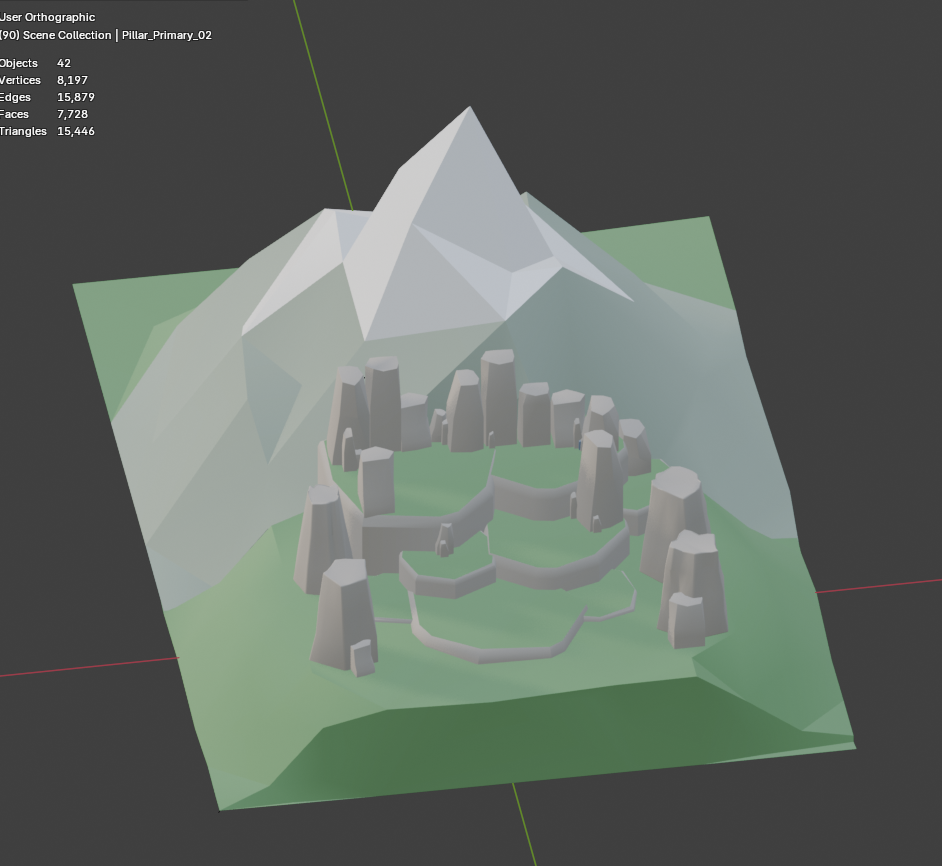
For weeks, scenes had broken proportions: table legs that were too long, mountains and the rocks sitting on them at identical scale. I assumed it was a model-intelligence problem. It wasn’t. It was a tool-design problem.
Used Blender’s scale property as the primary size indicator. Naturally — that’s how I model in Blender myself. Add a cube, scale it to taste.
Realization. scale is a multiplier on the underlying mesh dimensions. scale = 2 on a 1m cube vs a 10m cube produces wildly different real-world sizes. The agent had no way to reason about absolute size — it was always working in a unit-less relative space.
I added a new tool, resize, that operates on world-space dimensions in meters, and split the unified transform back into focused, single-purpose verbs.
move(name, value, mode)        // translate by [x,y,z]
rotate(name, value, mode)      // rotate by [x,y,z] degrees
scale(name, value)             // multiplier — "make it 2x bigger"
resize(name, dimensions)       // absolute meters — "make it 20m wide"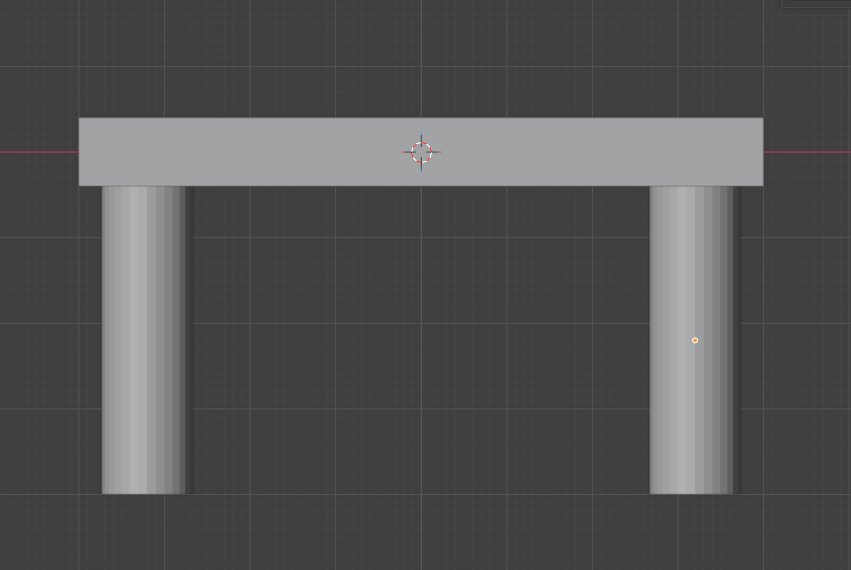
On top of resize, every object now carries a semantic role: HERO (primary subject), MAJOR (supporting), MINOR (detail), MICRO (fine detail). The runtime enforces the hierarchy — you can’t have two HEROes in a collection, and a MICRO can’t end up bigger than its MAJOR.
One tool, one job.
Pre-planned, with checks and balances.
Footnotes & context
A few terms used above, in case you came in cold.
- 01 Sequence 3D
- An AI operator add-on for Blender 5.0. The agent reads viewport captures, plans, and calls a small set of deterministic tools to build geometry. Not a generative model — it drives Blender directly.
- 02 Blender
- The open-source 3D modeling program. The reference UI for everything in this log — the agent’s tools mirror Blender’s panels and operations on purpose.
- 03 Tool / function-calling tool
- A small, named function the model can call by emitting structured JSON instead of free text. Each tool has a typed parameter schema. The agent loop runs: model emits a tool call → runtime executes it → result feeds back into the next prompt.
- 04 N-panel / Item panel
- The sidebar in Blender’s 3D viewport (toggled with the
Nkey). Its “Item” section shows Location, Rotation, and Dimensions for the selected object — the first transform tool was modeled on it directly. - 05 Suzanne
- The Blender monkey — Blender’s stock test mesh, used by almost everyone for quick lighting and tool checks.
- 06 Raycasting / click-select
- A selection technique borrowed from game engines. Instead of the agent describing what it wants in words, it emits a screen-space coordinate against a labeled viewport. The runtime fires an invisible ray from the camera through that pixel and selects whatever face, edge, or vertex it hits first.
- 07 Visual critic
- A second, lightweight model that looks at the viewport after each batch of tool calls and emits warnings when the result looks semantically wrong (“legs on top of table”, “wrong proportions”). Passive — it never prescribes a fix — so the main agent stays in charge of the reasoning.
- 08 HERO / MAJOR / MINOR / MICRO
- Semantic scale roles layered on top of the
resizetool. They let the agent think in relationships (“the hill is MAJOR relative to the mountain HERO”) instead of absolute meters every time, and the runtime enforces the hierarchy.